Searches around Treble vs Suno, Treblo, Trebio AI, Harmix AI, MiniMax, and music 3 MiniMax often start with the wrong question. The useful comparison is not which name sounds newer or which tool wins a broad ranking. For repair work, the better question is what kind of damage the export leaves behind and whether that damage can be fixed without flattening the song.
Tool names matter less than the damage you hear
AI music platforms change quickly, and the names people type into search are not always clean. Treble, Treblo, and Trebio AI may be mixed together in the same research session, while Suno, MiniMax, Harmix AI, and other tools get compared from short clips, social posts, or private tests. That naming confusion is exactly why a repair workflow should start with listening notes instead of brand assumptions.
A file does not need to come from Suno to have a metallic vocal. A track does not become clean just because it came from a different generator. The audible profile matters: buzzing vowels, smeared drums, unstable stereo ambience, low-level hum, crushed choruses, or a top end that turns into glass when the singer gets loud. Those defects decide the repair path.
When comparing tools, keep the prompt, genre, tempo, and export format as similar as possible. Then listen to the same moments: a solo vocal phrase, a busy chorus, a breakdown, and the final reverb tail. A casual full-song impression can hide the exact problem you later need to fix.
Compare vocals, drums, and ambience separately
Vocals are usually the fastest way to hear generator artifacts. Listen for vowels that ring like a narrow filter, consonants that spray white noise, and pitch transitions that feel smooth but unnatural. A clean vocal can survive moderate mastering. A metallic vocal often gets worse when compression and brightness are added, so it should be marked before any loudness pass.
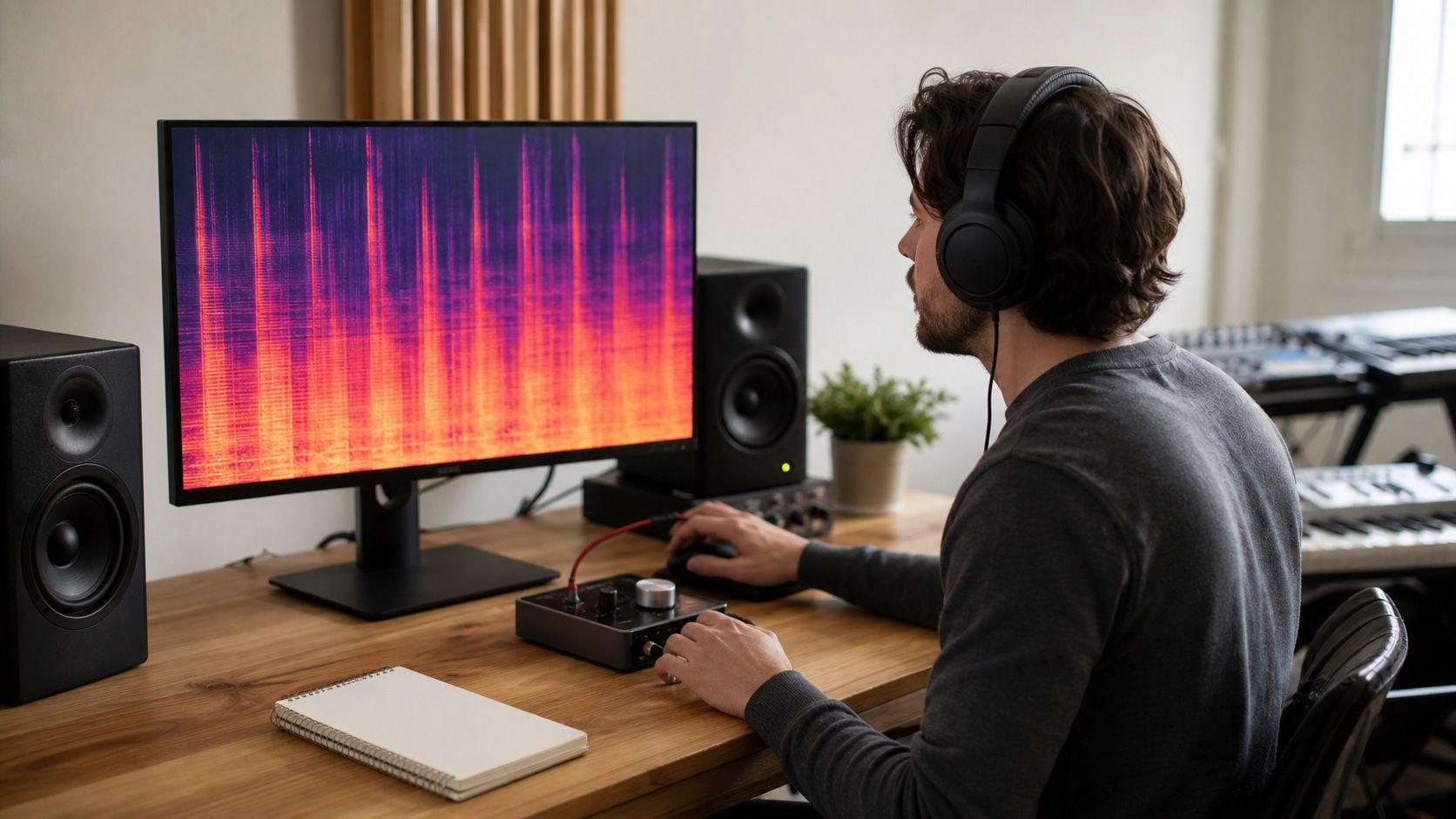
Drums reveal a different problem. Kicks can blur into the bass, snares can lose their first hit, and hi-hats can turn into a constant fizz. On a spectrogram, attacks should usually make short vertical marks. If the whole top band becomes a grey cloud in every chorus, the arrangement or the export may be overloaded. Repairing that with a broad treble cut can make the track dull, so isolate whether the issue is hats, vocal air, or codec stress.
Ambience is the quiet test. Reverb tails, pads, and background crowd-like textures often expose AI music tools when the main hook stops. Listen after a phrase ends. If the room tone wobbles, chatters, or leaves a digital mist, note it separately from vocal tone. That kind of artifact may need spectral cleanup or a shorter reverb choice, not a vocal de-esser.
Why dense arrangements hide problems
Dense arrangements can make a weak export sound impressive for the first thirty seconds. Layers fill the stereo field, percussion keeps attention moving, and a bright master creates the impression of detail. The trouble appears when the same density reaches a streaming file, a video edit, or a phone speaker. The chorus may collapse into fuzz, while the verse that sounded plain becomes the only section that holds together.
This is why Treble vs Suno comparisons should include sparse and busy passages. A generator that handles a minimal verse well may struggle when stacked vocals, hats, pads, and distorted guitars arrive together. Another tool may produce a huge chorus but leave the lead vocal with a synthetic edge. Neither result creates a universal winner; each creates a different repair note.
Use the spectrogram as a second opinion. If the busy section shows a thick high-frequency wash and the vocal also sounds sharp, do not assume the vocal is the only problem. If the high wash appears mainly after MP3 export, the issue may be delivery compression. If it exists in the lossless file, it belongs earlier in the chain.
Keep notes by defect type
A good comparison sheet does not need fake scores. It needs repeatable notes. Mark the timestamp, the instrument or voice, the audible defect, the file format, and the repair idea. This keeps the conversation grounded when two exports have different strengths. One may have better drums and worse vocals; another may have cleaner ambience but a thinner chorus.
| Defect note | What to check next | Likely repair direction |
|---|---|---|
| Metallic vocal on held notes | Same phrase in WAV/FLAC and MP3 | Narrow dynamic EQ, de-essing, or regenerate the vocal section |
| Fizz on hats and cymbals | Busy chorus compared with sparse verse | Export bitrate check, gentle high control, less bright mastering |
| Low hum under the whole mix | Quiet intro, outro, and stem split | Hum removal or noise reduction before final limiting |
| Ambience wobbles after phrases | Reverb tail with vocal muted if stems exist | Spectral cleanup, shorter tails, or arrangement edit |
This method also reduces bias from tool names. If a MiniMax export has cleaner drums but a weaker vocal, write that. If a Suno version has strong hooks but a noisy outro, write that. If the result from another AI music tool sounds balanced until the MP3 delivery file is made, the note belongs under export quality, not under generator quality.
Choose the repair path after listening
Once the defects are named, choose the smallest repair that solves the audible problem. A metallic vocal may need a focused pass around the harsh band, not a full remaster. A noisy stem may need denoise before bus compression. A dense chorus may need less limiter pressure or a cleaner export rather than another layer of restoration. Repair is easier when the note points to a symptom instead of a brand.
Format matters at the end. If you compare tools using different delivery files, the test becomes muddy. Keep the best available lossless export as the working master, then create MP3 only for preview or delivery. If the MP3 adds obvious fizz, raise the bitrate or adjust the master before blaming the generator.
The honest answer to Treble vs Suno is usually conditional. One tool may suit a prompt better, another may leave fewer repair problems in a specific genre, and naming variants like Treblo or Trebio AI may lead people to compare unrelated products. For cleanup, listen first, inspect second, and let the defect profile decide what to fix.